Widgets
Widgets sit on the side rails ([ and ] toggle them). Every widget is one JSON
file in brain/widgets/, so adding a widget is adding a file. No code, no rebuild.
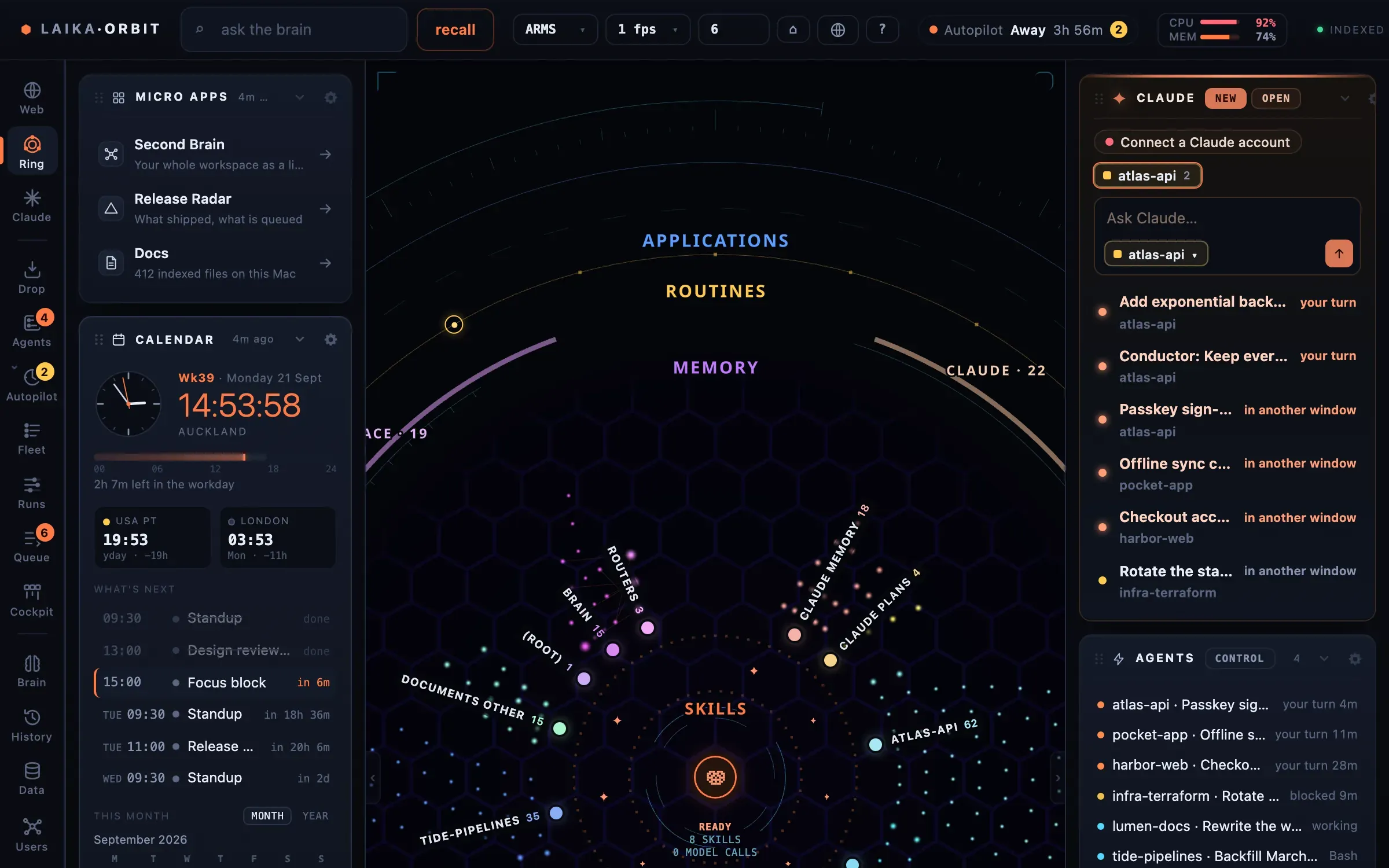
Widgets on the side rails: micro apps, the calendar and what the index holds.
Calendar
Section titled “Calendar”Put your calendar’s secret iCal address in .env.local:
CALENDAR_ICS_URLS=https://calendar.google.com/calendar/ical/…/basic.ics# several: separate with commasIn Google Calendar it’s under Settings → your calendar → Integrate calendar → “Secret address in iCal format”.
Inbox (Gmail)
Section titled “Inbox (Gmail)”-
Create an OAuth client in your own Google Cloud project with the Gmail read-only scope.
-
Add
http://localhost:5200/api/gmail/callbackas an authorised redirect URI. -
Put the client in
.env.local:Terminal window GOOGLE_CLIENT_ID=…GOOGLE_CLIENT_SECRET=… -
Restart the app and connect from the inbox widget. The refresh token is kept in the macOS Keychain.
“Needs you” counts unread mail from real people rather than newsletters and notifications.
Your own widgets
Section titled “Your own widgets”{ "id": "deploys", // unique; also the filename: brain/widgets/deploys.json "kind": "list", // calendar | metric | table | deck | applist | list | feed | links "title": "Deploys", "icon": "deploy", // optional "source": "ci", // shown in the footer "refreshedAt": "2026-09-17T02:10:00Z", "href": "https://…", // optional: the title becomes a link "config": { "staleAfterMins": 30 }, "items": [ { "title": "api · v2.3.1", "meta": "12:04", "tag": "live", "href": "https://…" } ]}Write the file from anything: a script, a cron job, or a Claude Code routine. Or post it to the running app:
curl -X POST http://localhost:5200/api/widgets/deploys \ -H 'content-type: application/json' -d @deploys.jsonA widget older than config.staleAfterMins (default 60) is marked stale rather than shown as current.
Icons: apps calendar mail bolt clock brain chart gauge doc deploy chat link
list play.