Install and first run
Requirements
Section titled “Requirements”- macOS for the desktop app, or Windows 10 or later, 64-bit for the early Windows installer (what early means). The server and Laika Orbit recall also run on Linux.
- Node 22.18 or newer and pnpm 10. With mise,
mise installsets up both. - A Claude account for chats (you can try the panel with an offline demo agent first).
- Optional:
brew install popplerso PDFs are indexed (pdftotext).
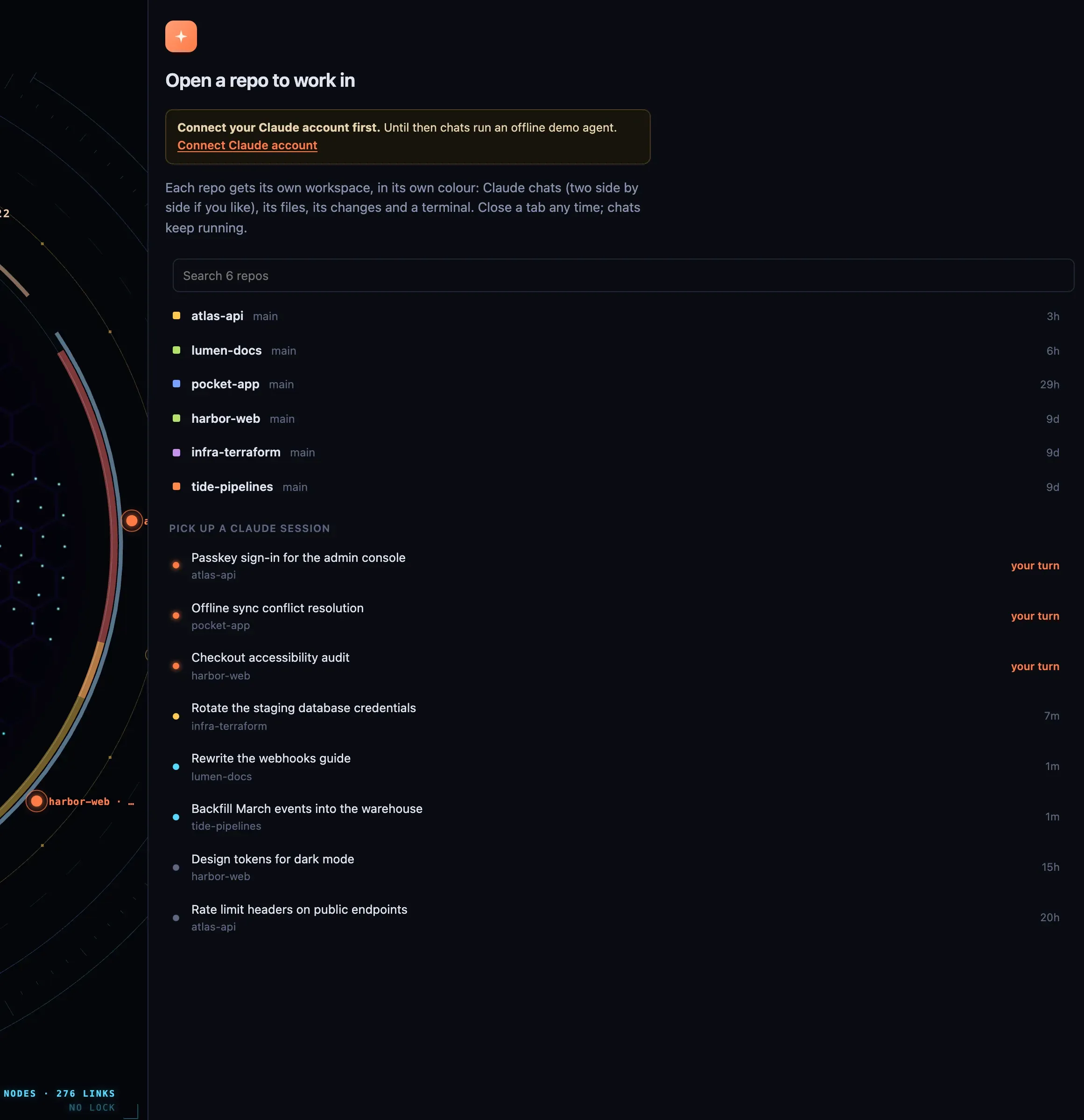
First run: pick a repo to open, or pick up a Claude session where you left it.
Install
Section titled “Install”Laika Orbit is free either way: build it from source below, or download a build from the releases page — the signed, notarised Mac disk image, or the Windows x64 installer. From 1.0.3 the Mac build checks for new versions and can update itself; the Windows one cannot yet, so a new version there means downloading it again. Orbit Pro, the paid membership on top, isn’t on sale yet; join the waitlist to hear when it opens.
On Windows
The installer runs, carries its own Node, and serves the real UI; a chat’s terminal is PowerShell. It is early, and three things are worth knowing before you rely on it:
- It is not code-signed, so SmartScreen stops it the first time: More info, then Run anyway. The checksum beside the download stands in for the signature until there is one.
- Secrets are not kept in a keychain on Windows as they are on macOS, so anything that needs a stored credential is not safe to rely on there yet. This is the gap that matters most.
- Only the x64 build exists — no arm64 — and no automated check runs on Windows: it is built and exercised by hand, on one machine.
It installs for you alone, without an administrator, and lets you choose the folder. Your data lives
in %APPDATA%\Laika Orbit\, never inside the install folder.
git clone https://github.com/Laika-Dynamics-Ltd/laika-orbit.gitcd laika-orbitmise install # or use your own Node 22.18+ and pnpm 10pnpm installRun it
Section titled “Run it”pnpm shell # the desktop app, with real browser tabsOr in a browser tab, without the native browser:
cd packages/app && node server.mjs # http://localhost:5200To install it as a Mac app in /Applications with a Dock icon:
pnpm shell:appThe app still runs from your checkout, so git pull updates it; relaunch to pick up changes.
First run
Section titled “First run”- The map shows this repo only. Nothing outside the checkout is read until you add a folder: press i and add sources (notes, projects, documents). See Knowledge map.
- The Claude panel lists your repos from
~/dev. Keep code somewhere else? Start the server withDEV_ROOTS, colon-separated:DEV_ROOTS="$HOME/code:$HOME/work" pnpm shell. - Connect a Claude account from the panel. Until then, chats run an offline demo agent.
- Optional feeds: copy
.env.exampleto.env.localto set up the calendar and inbox widgets. See Widgets.
Updating
Section titled “Updating”git pull && pnpm installYour settings live in gitignored files (*.local.json, .env.local, and the settings the app
writes), so updates never conflict with them.